
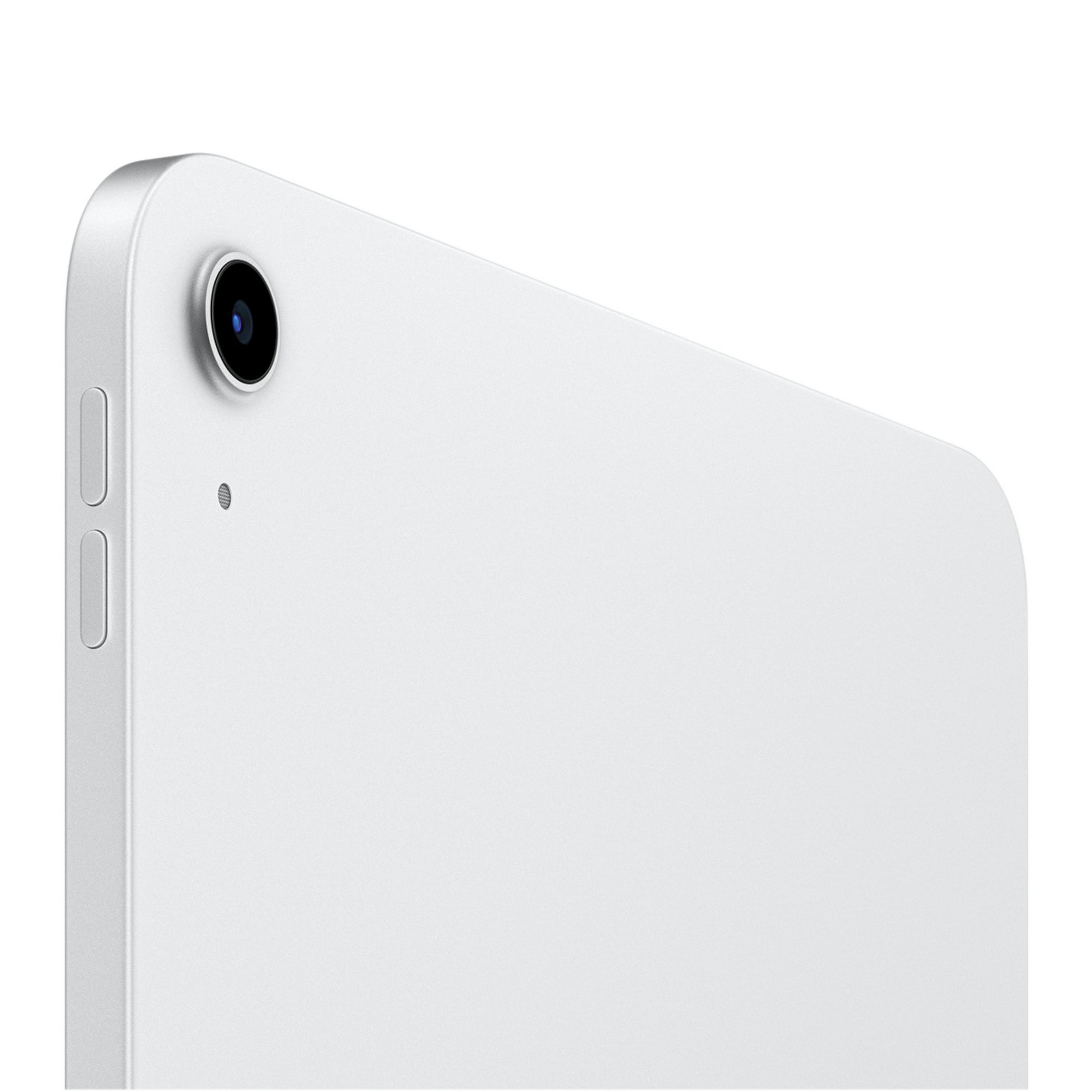
Apple iPad 11-inch: A16 chip, 11-inch Model, Liquid Retina Display, 128GB, Wi-Fi 6, 12MP Front/12MP Back Camera, Touch ID, All-Day Battery Life
View on AmazonMy mom asked me for a laptop recommendation last year, and I talked her into an iPad instead. She video-calls my sister every evening, reads the news in bed, follows recipes in the kitchen, and plays puzzle games before sleep. She hasn't mentioned wanting a laptop since.
The Apple iPad (10th Generation) is that kind of device. It's not trying to replace your computer. It's the thing you reach for when you want something bigger than your phone but less cumbersome than a laptop.
What You Get for $349
The 10.9-inch Liquid Retina display is bright and sharp, with nice color accuracy for watching videos and browsing photos. The A14 Bionic chip handles everything a typical user throws at it without breaking a sweat, from streaming and multitasking to casual gaming.
128GB of storage is the right starting point. The old 64GB base model felt cramped after a few months of downloading apps and saving photos, so this bump is welcome.
⭐ 10.9-inch Liquid Retina display with True Tone
⭐ A14 Bionic chip (smooth for everyday tasks and casual gaming)
⭐ 128GB storage (finally a reasonable base)
⭐ USB-C charging (no more Lightning)
⭐ All-day battery life (roughly 10 hours of use)
Who This Is Perfect For
Parents who want a simple, reliable device for video calls and browsing. Kids who need a tablet for school. Grandparents who find laptops intimidating. College students who want a note-taking companion. The iPad just works for all these people, and that simplicity is the whole point.
It also pairs with the Apple Pencil and a keyboard case if someone eventually wants to use it for light productivity. Not a laptop replacement, but good enough for emails, documents, and basic creative work.
Day-to-Day Use Cases
The kitchen is where I see iPads earn their keep most often. Propping one up on the counter with a recipe open, swiping between steps with a flour-dusted knuckle, following along with a cooking video at half speed. A phone screen is too small for this, and a laptop on the counter feels risky near hot oil and running water. The iPad fits perfectly.
For travel, loading it up with downloaded shows, podcasts, and books means you have entertainment covered for a long flight without draining your phone. The 10-hour battery lasts through most international flights, and it's light enough to hold for hours without arm fatigue.
Kids and students get a lot of mileage out of this model too. Grade-school kids use it for educational apps, reading, and the occasional game. High school and college students pair it with an Apple Pencil for handwritten notes in class, and the screen is large enough to split between a PDF and a note-taking app side by side.
Older adults tend to take to iPads faster than any other device. The touch interface is intuitive, the screen is big enough to read comfortably, and FaceTime calls are simple to start. I've set up iPads for three different relatives over 60, and every single one of them uses it daily.
How It Compares
The Samsung Galaxy Tab A9+ is the closest Android competitor at a similar price. Samsung's tablet has a slightly better screen-to-body ratio and supports expandable storage via microSD. But the app ecosystem for tablets is still stronger on iPad, and the Galaxy Tab's software update support is shorter. For someone already using an iPhone, the iPad makes the most sense.
Amazon's Fire tablets are much cheaper, but the trade-offs are steep: limited app selection, lower build quality, and ads on the lock screen unless you pay extra. The iPad costs more upfront but delivers a significantly better experience over time.
Against the iPad Air, the differences are real but subtle for most users. The Air gets a laminated display (no air gap between glass and panel), an M-series chip, and second-gen Apple Pencil support with magnetic charging. Those upgrades matter for artists and power users, but for someone who primarily reads, watches, and browses, the base iPad covers all the same ground.
The Downsides
The first-gen Apple Pencil support is a weird choice. It charges via USB-C with an adapter now, which is clunky. If the recipient wants to draw or take handwritten notes seriously, they'll notice the missing magnetic attach-and-charge that the Air and Pro models offer.
There's no Face ID, just Touch ID on the top button. It works fine, but people used to Face ID on their phones might find it slightly less convenient.
At $349, you're also getting close to iPad Air territory, especially during sales. If you can stretch the budget a bit, the Air's M-series chip and laminated display are noticeably nicer. But for most people, they genuinely won't notice the difference.
Gift-Wrapping Tips
An iPad on its own is a great gift, but pairing it with a protective case makes it feel complete. A basic folio case runs $20-$40 and turns the iPad into a hands-free stand for recipes, video calls, and shows. If you want to go bigger, an Apple Pencil or a Bluetooth keyboard turns it into a light productivity setup. Including a screen protector is another thoughtful touch that costs almost nothing but saves the recipient from buying one themselves.
Final Verdict
The base iPad is Apple's best value proposition, and it makes a thoughtful gift for almost anyone. It's not flashy, it's not cutting-edge, but it's dependable and does exactly what most people need a tablet to do. Pair it with a nice case and maybe an Apple Pencil, and you've got a gift that'll get daily use for years.
Flippe Gift Rating: 4.7 / 5 (Excellent)